Image 1 of 4
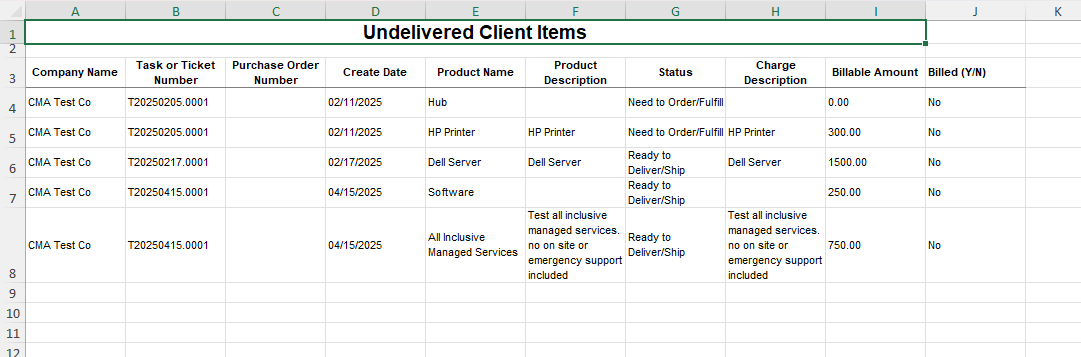 Image 2 of 4
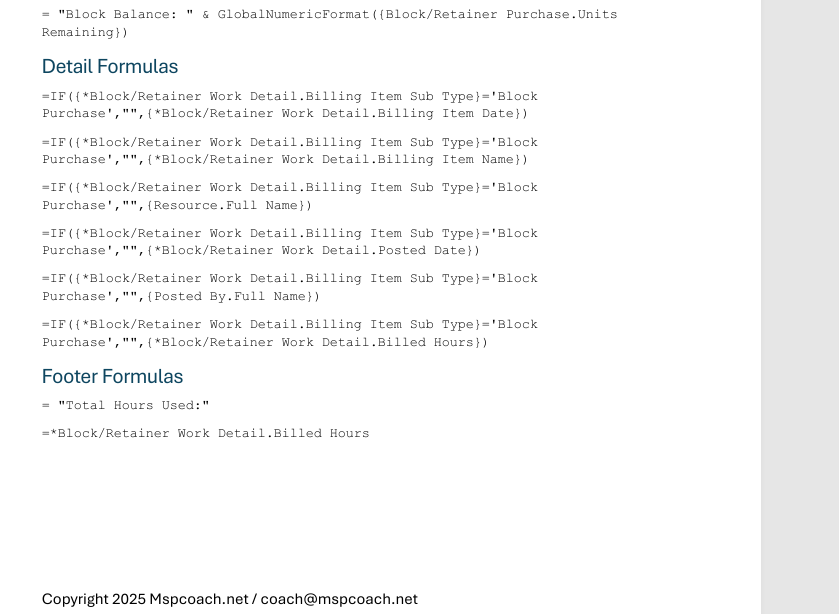 Image 3 of 4
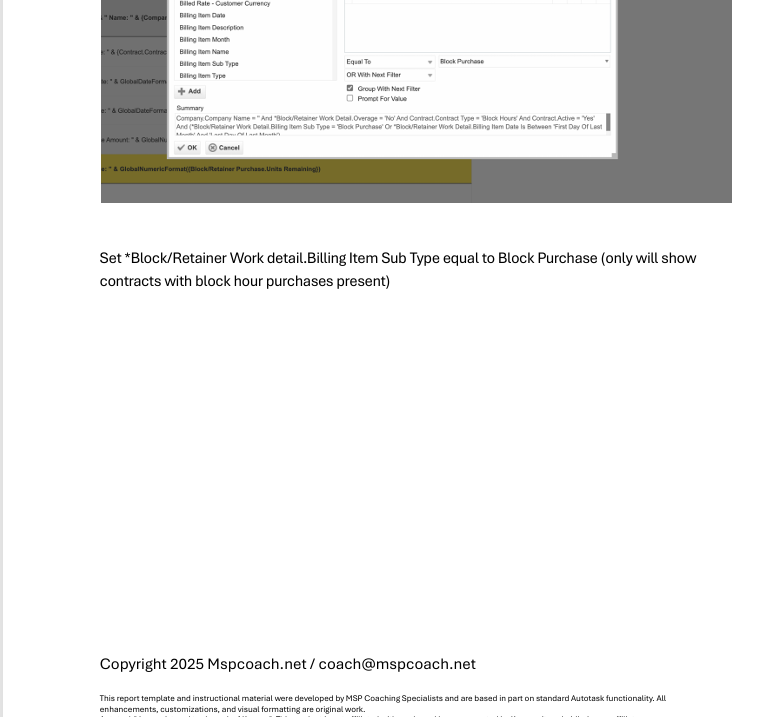 Image 4 of 4
Exactly what it sounds like: this report shows everything a client is expecting that hasn’t been delivered yet. Hardware, software, onboarding items, contracted services — if it’s owed, promised, scheduled, or sitting in limbo, it shows up here.
This is how you stop clients from chasing you asking,
“Hey… whatever happened to that thing?”
…and how you stop those same questions from blindsiding your team.
By surfacing undelivered items across the PSA, you get ahead of problems, close loops, and eliminate those embarrassing “we’ll look into that” moments.
✔️ Project & onboarding follow-through
✔️ Hardware & procurement fulfillment
✔️ Ticket → delivery handoffs
✔️ Account managers prepping QBRs
✔️ Preventing client escalations
What each client is waiting on
Who’s responsible and where it’s stuck
Items purchased but not deployed
Promised services not yet live
Follow-through issues before they become customer complaints
This is your anti-escalation safety net.
📄 PDF Build Guide
Step-by-step build instructions
All formulas included + appendix for copy/paste
Field explanations so you learn why, not just how
🔧 Format & Structure Training
Loosely based on real onboarding workflows
Easily customizable to your internal process
🎥 Support & Fine Tuning
Email support & tuning videos as needed
🚀 Optional Install Help (Add-On)
Available when bundling with other reports
🔌 Plug-and-Play Ready
Built for most Autotask tenants
No prerequisites besides normal PSA usage
✨ Bonus
A low-effort way to upgrade account management
Great for QBRs / monthly check-ins
Autotask LiveReports access
Active ticketing / project delivery
Exactly what it sounds like: this report shows everything a client is expecting that hasn’t been delivered yet. Hardware, software, onboarding items, contracted services — if it’s owed, promised, scheduled, or sitting in limbo, it shows up here.
This is how you stop clients from chasing you asking,
“Hey… whatever happened to that thing?”
…and how you stop those same questions from blindsiding your team.
By surfacing undelivered items across the PSA, you get ahead of problems, close loops, and eliminate those embarrassing “we’ll look into that” moments.
✔️ Project & onboarding follow-through
✔️ Hardware & procurement fulfillment
✔️ Ticket → delivery handoffs
✔️ Account managers prepping QBRs
✔️ Preventing client escalations
What each client is waiting on
Who’s responsible and where it’s stuck
Items purchased but not deployed
Promised services not yet live
Follow-through issues before they become customer complaints
This is your anti-escalation safety net.
📄 PDF Build Guide
Step-by-step build instructions
All formulas included + appendix for copy/paste
Field explanations so you learn why, not just how
🔧 Format & Structure Training
Loosely based on real onboarding workflows
Easily customizable to your internal process
🎥 Support & Fine Tuning
Email support & tuning videos as needed
🚀 Optional Install Help (Add-On)
Available when bundling with other reports
🔌 Plug-and-Play Ready
Built for most Autotask tenants
No prerequisites besides normal PSA usage
✨ Bonus
A low-effort way to upgrade account management
Great for QBRs / monthly check-ins
Autotask LiveReports access
Active ticketing / project delivery