Image 1 of 4
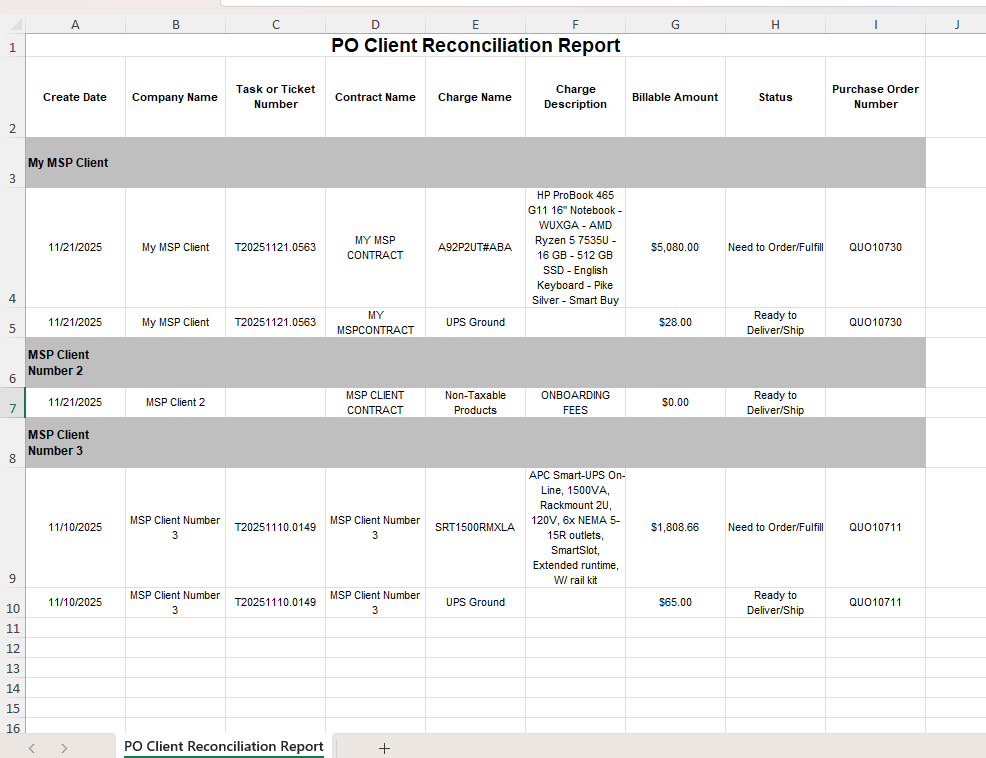 Image 2 of 4
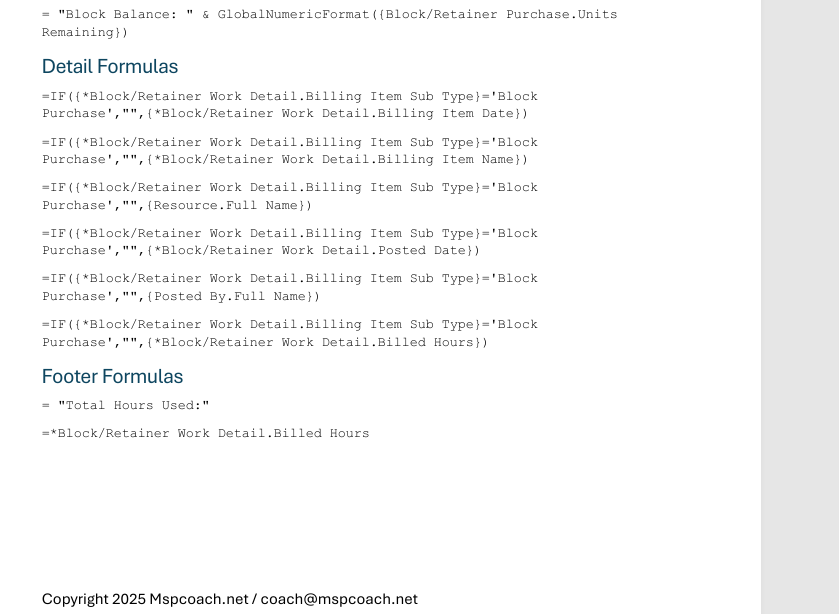 Image 3 of 4
 Image 4 of 4
This report tells you exactly what’s been sold, ordered, received, billed — or forgotten. It matches what you’ve charged a client for against the current purchase order status so you can confirm nothing is stuck, missing, backordered, or accidentally never invoiced.
If you’ve ever had to dig through tickets, POs, invoices, and contract charges just to see what happened to that laptop they ordered, this report kills that pain. It pulls the reconciliation into a single view — no more internal detective work.
✔️ MSPs that resell hardware or software
✔️ Internal reconciliation before invoicing
✔️ Catching missed billing before it costs you
✔️ Procurement + finance handoffs
✔️ Cleaning up order-to-cash chaos
What was sold and to which client
Whether the item has been ordered, received, invoiced, or fulfilled
What’s stuck in purchasing limbo
What was delivered but never billed 😬
Where you’re losing revenue due to broken process or assumptions
Instead of trusting someone’s memory or scattered ticket notes, this makes the whole lifecycle visible.
📄 PDF Build Guide
Step-by-step walkthrough of the entire build
Every formula included + appendix for copy/paste
Field-by-field explanations so you actually learn LiveReports
🔧 Format & Structure Training
Why each step exists (not just “click here”)
Understand how LiveReports think so you can modify confidently
🎥 Support & Fine Tuning
Email support included
Short video explainers to help with tuning your layout
🚀 Optional Install Help (Add-On)
Available when bundling multiple reports
I’ll install and tune it with you in your tenant
🔌 Plug-and-Play Ready
Built for most Autotask tenants
✨ Bonus
Builds your procurement → billing visibility foundation
Great launching point for inventory or hardware lifecycle reporting
Autotask LiveReports access
Using POs + billing for hardware or software resale
This report tells you exactly what’s been sold, ordered, received, billed — or forgotten. It matches what you’ve charged a client for against the current purchase order status so you can confirm nothing is stuck, missing, backordered, or accidentally never invoiced.
If you’ve ever had to dig through tickets, POs, invoices, and contract charges just to see what happened to that laptop they ordered, this report kills that pain. It pulls the reconciliation into a single view — no more internal detective work.
✔️ MSPs that resell hardware or software
✔️ Internal reconciliation before invoicing
✔️ Catching missed billing before it costs you
✔️ Procurement + finance handoffs
✔️ Cleaning up order-to-cash chaos
What was sold and to which client
Whether the item has been ordered, received, invoiced, or fulfilled
What’s stuck in purchasing limbo
What was delivered but never billed 😬
Where you’re losing revenue due to broken process or assumptions
Instead of trusting someone’s memory or scattered ticket notes, this makes the whole lifecycle visible.
📄 PDF Build Guide
Step-by-step walkthrough of the entire build
Every formula included + appendix for copy/paste
Field-by-field explanations so you actually learn LiveReports
🔧 Format & Structure Training
Why each step exists (not just “click here”)
Understand how LiveReports think so you can modify confidently
🎥 Support & Fine Tuning
Email support included
Short video explainers to help with tuning your layout
🚀 Optional Install Help (Add-On)
Available when bundling multiple reports
I’ll install and tune it with you in your tenant
🔌 Plug-and-Play Ready
Built for most Autotask tenants
✨ Bonus
Builds your procurement → billing visibility foundation
Great launching point for inventory or hardware lifecycle reporting
Autotask LiveReports access
Using POs + billing for hardware or software resale