 Image 1 of 4
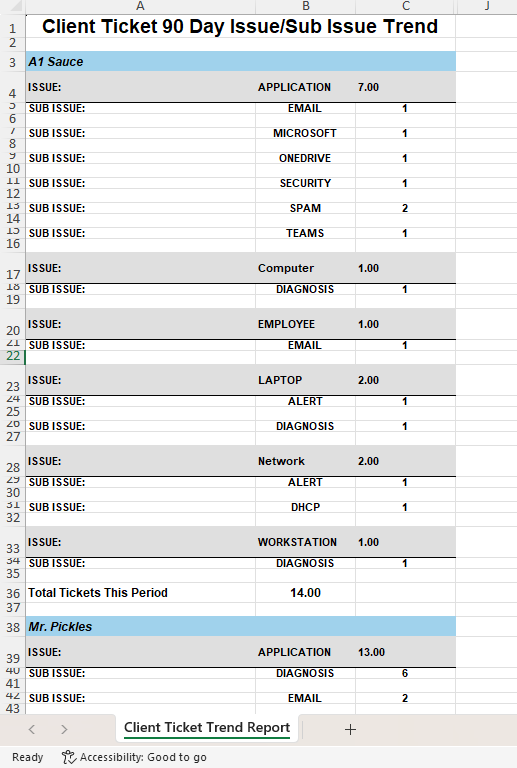 Image 2 of 4
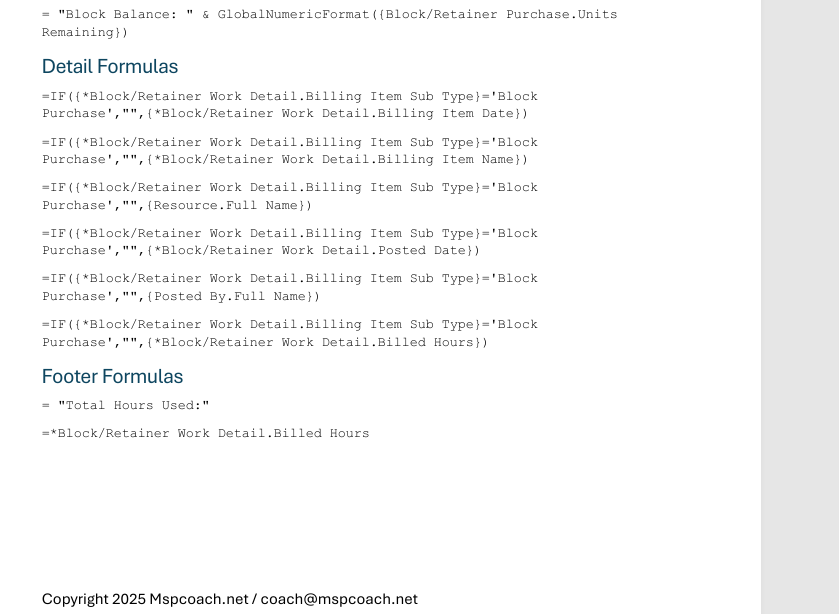 Image 3 of 4
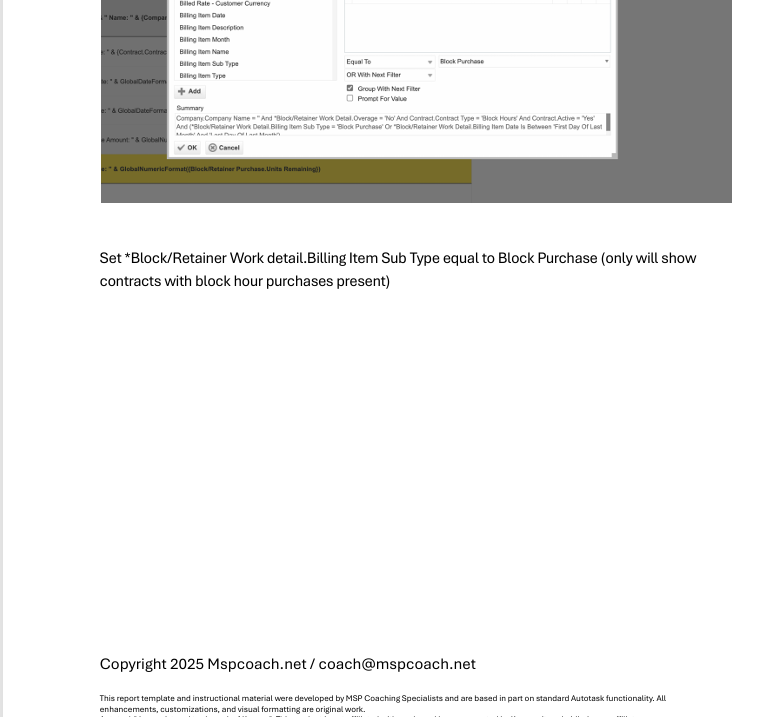 Image 4 of 4
This report analyzes the last 90 days of tickets and breaks them down by Issue Type → Sub-Issue, grouped by client. It reveals exactly what clients struggle with most, what categories drive the bulk of your support load, and where recurring problems are eating your team alive.
This is the MSP version of a root-cause radar.
Instead of drowning in noise, you get patterns:
“Email issues are 30% of Client A’s tickets”
“Laptops are failing weekly for Client B”
“Client C keeps breaking OneDrive”
“Mr. Pickles needs a phishing training session… urgently” 😅
This is how you walk into a QBR and steer the conversation like a pro — with data that proves what needs to change.
✔️ QBRs that lead to meaningful action
✔️ Pitching upgrades, projects, onboarding cleanups
✔️ Recurring advisory conversations
✔️ Roadmapping client improvements
✔️ Spotting training / policy / tooling gaps
Top recurring issues by client
Sub-issues driving the majority of noise
Where standardization or automation would help
Which environments need overhauls
Where unmanaged devices/apps create chaos
Data-driven talking points for upsell & scope change
It turns “we recommend this project” into
“This project will remove 40% of your recurring support noise. Here’s the data.”
Now you’re not selling — you’re advising.
📄 PDF Build Guide
Step-by-step construction
All formulas included (copy/paste appendix)
Explanation of grouping, hierarchy, and totals
🔧 Format & Structure Training
Learn how to build Issue/Sub-Issue hierarchies that actually render cleanly in LiveReports
Tune the 90-day range or adjust to 30 / 60 / 120
🎥 Support & Fine Tuning
Email support included
Short tuning videos available
🚀 Optional Install Help (Add-On)
Available when bundling reports
🔌 Plug-and-Play Ready
Works in most Autotask tenants
✨ Bonus
Instantly elevates client meetings from “status updates” to strategic consulting
Autotask LiveReports access
Issue/Sub-Issue taxonomy in use
This report analyzes the last 90 days of tickets and breaks them down by Issue Type → Sub-Issue, grouped by client. It reveals exactly what clients struggle with most, what categories drive the bulk of your support load, and where recurring problems are eating your team alive.
This is the MSP version of a root-cause radar.
Instead of drowning in noise, you get patterns:
“Email issues are 30% of Client A’s tickets”
“Laptops are failing weekly for Client B”
“Client C keeps breaking OneDrive”
“Mr. Pickles needs a phishing training session… urgently” 😅
This is how you walk into a QBR and steer the conversation like a pro — with data that proves what needs to change.
✔️ QBRs that lead to meaningful action
✔️ Pitching upgrades, projects, onboarding cleanups
✔️ Recurring advisory conversations
✔️ Roadmapping client improvements
✔️ Spotting training / policy / tooling gaps
Top recurring issues by client
Sub-issues driving the majority of noise
Where standardization or automation would help
Which environments need overhauls
Where unmanaged devices/apps create chaos
Data-driven talking points for upsell & scope change
It turns “we recommend this project” into
“This project will remove 40% of your recurring support noise. Here’s the data.”
Now you’re not selling — you’re advising.
📄 PDF Build Guide
Step-by-step construction
All formulas included (copy/paste appendix)
Explanation of grouping, hierarchy, and totals
🔧 Format & Structure Training
Learn how to build Issue/Sub-Issue hierarchies that actually render cleanly in LiveReports
Tune the 90-day range or adjust to 30 / 60 / 120
🎥 Support & Fine Tuning
Email support included
Short tuning videos available
🚀 Optional Install Help (Add-On)
Available when bundling reports
🔌 Plug-and-Play Ready
Works in most Autotask tenants
✨ Bonus
Instantly elevates client meetings from “status updates” to strategic consulting
Autotask LiveReports access
Issue/Sub-Issue taxonomy in use